
A lightweight terminal for secure remote connections
PuTTY is a free open-source terminal emulator that has become a staple tool for network administrators, developers, and IT professionals. Developed by Simon Tatham, it supports various network protocols, including SSH, Telnet, SCP, and SFTP, making it an essential tool for establishing secure remote connections to servers and managing systems.
Top Recommended Alternative

PuTTY shines with its lightweight design, wide compatibility across multiple devices and operating systems. This emulator is also used as a learning tool as users rarely encounter crashes or disconnections unless caused by external network issues—making it reliable for testing.
A simple networking tool with tons of functionality
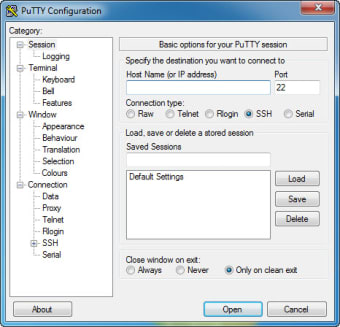
PuTTY is to provide users with secure remote access to servers through SSH, Telnet, or serial connections. Upon launching this tool, users are greeted by a minimalist interface that prioritizes functionality over aesthetics. Configuring connections is straightforward, with fields for entering the host’s IP address, port, and protocol. For those frequently connecting to multiple servers, allowing users to save session configurations, which simplifies future logins.
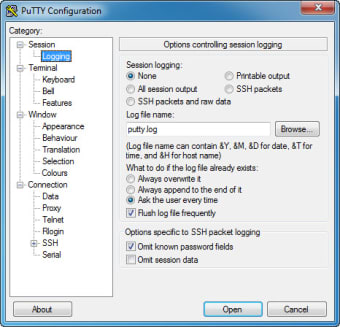
Once connected, the terminal window provides real-time access to the remote system’s command line. This networking tool supports extensive customization options, allowing users to adjust the terminal appearance, character encoding, color schemes, and logging options. While its interface may seem basic compared to more modern terminal clients, its simplicity is one of its greatest strengths, offering a distraction-free environment focused purely on remote system management.
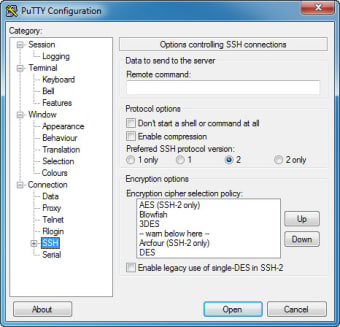
It supports tough encryption protocols, particularly SSH-2, which ensures secure communication over potentially vulnerable networks. Additionally, PuTTY includes built-in public key authentication, allowing users to enhance security by using key pairs instead of passwords. SCP and SFTP support also allow users to securely transfer files between local and remote machines, making it a versatile tool for both remote access and file management. Though it requires manual configuration for advanced features.
A reliable, secure, and versatile terminal tool
PuTTY remains a trusted tool for professionals needing secure remote connections and file transfers. Its lightweight, no-frills design, combined with support for multiple protocols and robust encryption, makes it invaluable for managing remote servers. Despite its dated interface, PuTTY excels in functionality, reliability, and customization, providing users with a secure and efficient terminal experience that continues to stand the test of time.